You can create sensitivity labels in Microsoft Purview in about four minutes, and they will do nothing at all. The label is only a definition. It reaches no one until a separate object, a label publishing policy, delivers it. That split is the most common reason a new labelling project looks broken on day one.
What follows is the whole path walked in a lab tenant with no existing labels, including the validation error the wizard throws at you and the one scope option that stays greyed out until you do work elsewhere. If you are still deciding whether the licensing justifies the project, the Purview cost and licensing breakdown covers what you actually pay for.
Two objects, not one
Purview separates the label from its delivery. The sensitivity label is the definition: name, scope, encryption, marking, meeting controls. The label publishing policy decides which users and groups see it, and sets behaviour such as mandatory labelling and default labels.
Create the first without the second and the portal shows a healthy label with nothing wrong. Users see no change whatsoever.
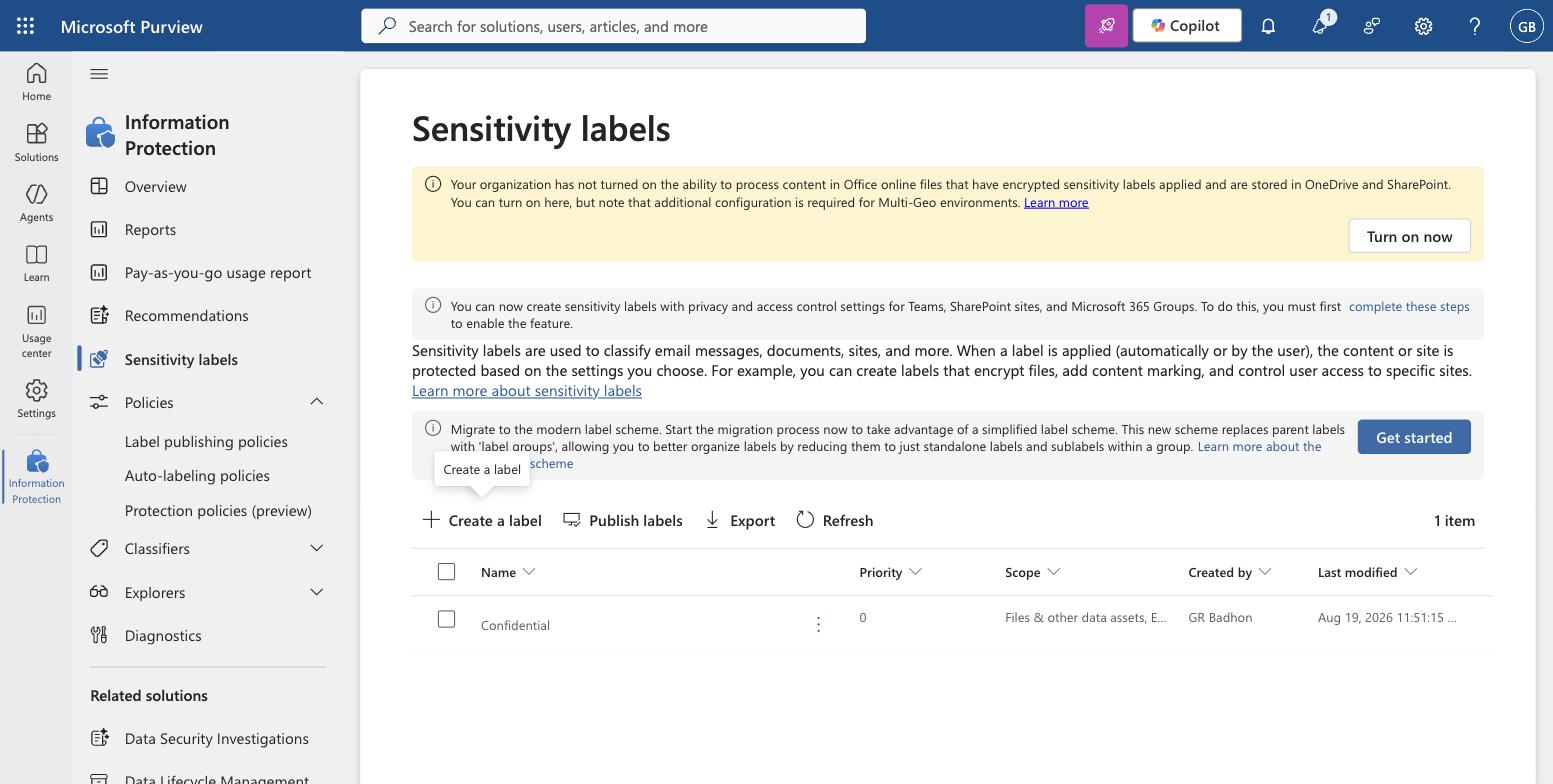
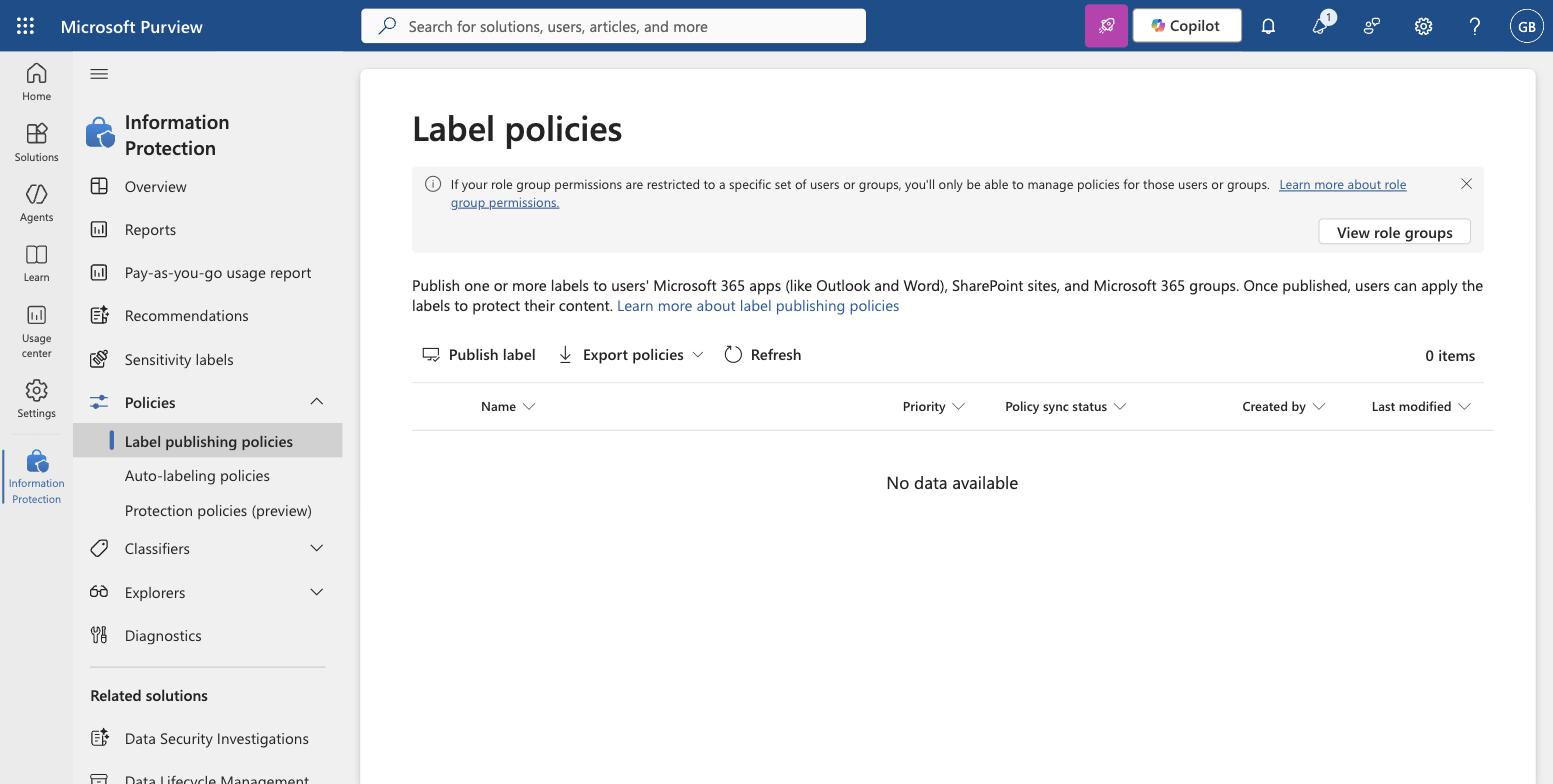
Two cmdlets settle the argument faster than the portal does.
# Security and Compliance PowerShell. Compare what exists against what is published.
Connect-IPPSSession
Get-Label | Format-Table DisplayName, Priority, ContentType, Guid
Get-LabelPolicy | Format-Table Name, Labels, Enabled
If Get-Label returns rows and Get-LabelPolicy returns nothing, stop troubleshooting clients. There is nothing wrong with Outlook.
How to create sensitivity labels in the portal
You create sensitivity labels from Information Protection, then Sensitivity labels, then Create a label. The wizard runs Label details, Scope, Items, Groups and sites, Finish.
On Label details, note that a new label is assigned the highest priority by default. Priority is not cosmetic. It decides which label counts as a higher classification when a user downgrades one, and which label an email inherits when attachments carry several.
Scope decides everything after it
The Scope step is the one that quietly determines the rest of the wizard. Files and other data assets now covers Microsoft 365, Fabric including Power BI, Viva Engage and Azure. Emails and Meetings are separate ticks.
Groups and sites is greyed out on a tenant that has not enabled it, with the portal offering a complete these steps link. Until that is done you cannot label a Team, a SharePoint site or a Microsoft 365 Group at all, and no amount of policy work changes it. That prerequisite is the second most common cause of a label that appears in Word but not on a site.
The validation error, and why it is right
Tick Control access on the Items step and you get the Access control panel. Choose Let users assign permissions when they apply the label, click Next, and the wizard refuses:
Because this label is scoped to Files and Emails, you must select both “In Outlook, enforce one of the following restrictions” and “In Word, PowerPoint, and Excel, prompt users to specify permissions”.
This is not a bug. User-assigned permissions mean different things in the two surfaces. In Outlook the choice is a fixed restriction, Do Not Forward or Encrypt-Only. In the Office apps it is a prompt where the user names recipients and rights. A label scoped to both has to answer both questions, so the wizard blocks you until it can.
The same panel carries two settings worth knowing before you tick anything. Dynamic watermarking and Double Key Encryption both sit here, and the panel warns that co-authoring in Office desktop apps needs to be turned on separately or simultaneous editing of encrypted documents breaks. Turning on encryption without co-authoring is a good way to have your first labelled document become the reason people stop using labels.
Publishing it
Creating the label ends with a prompt to publish, which is the correct default and easy to click past.
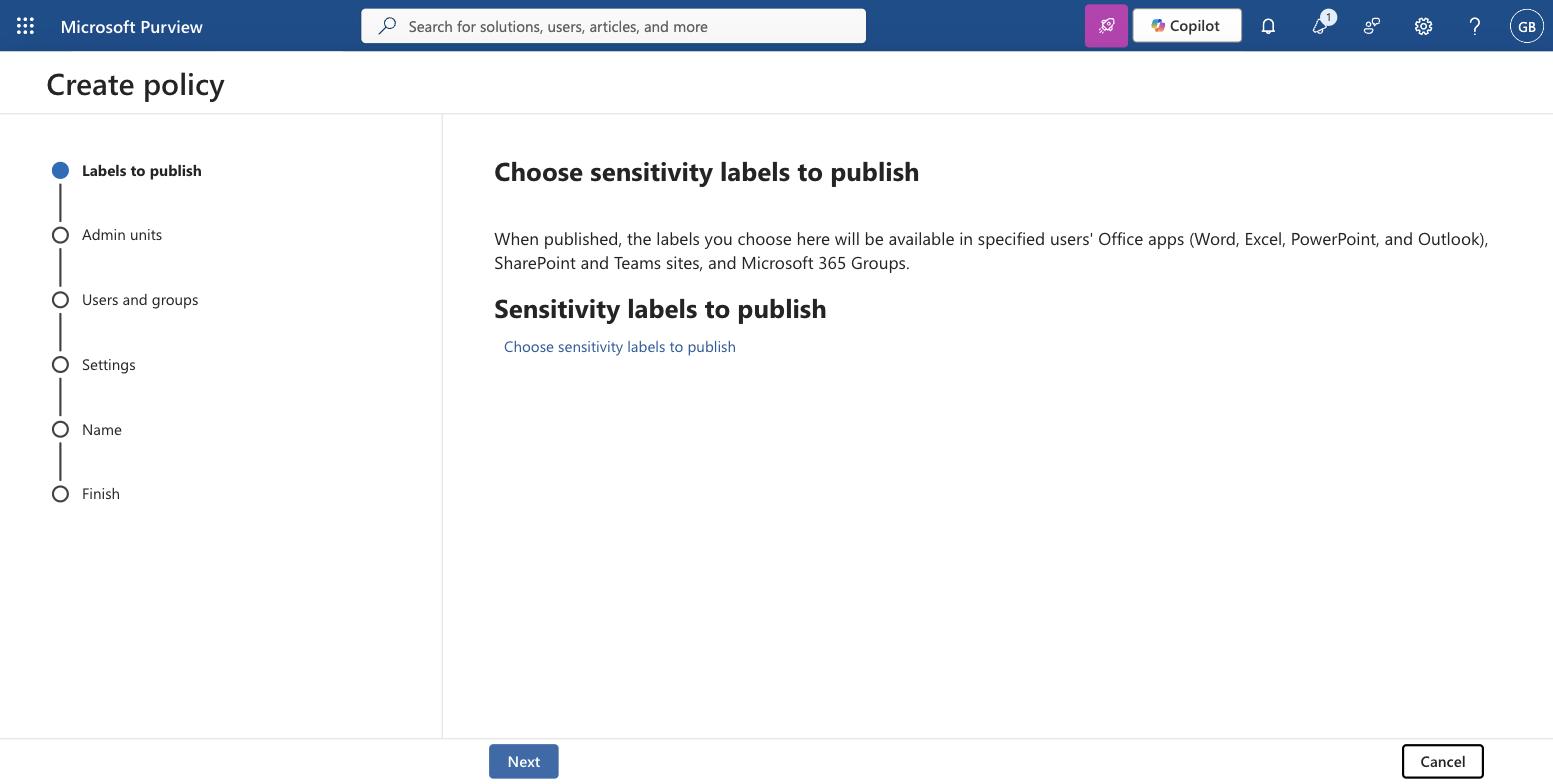
The Settings step is where the policy stops being a delivery mechanism and starts being policy.
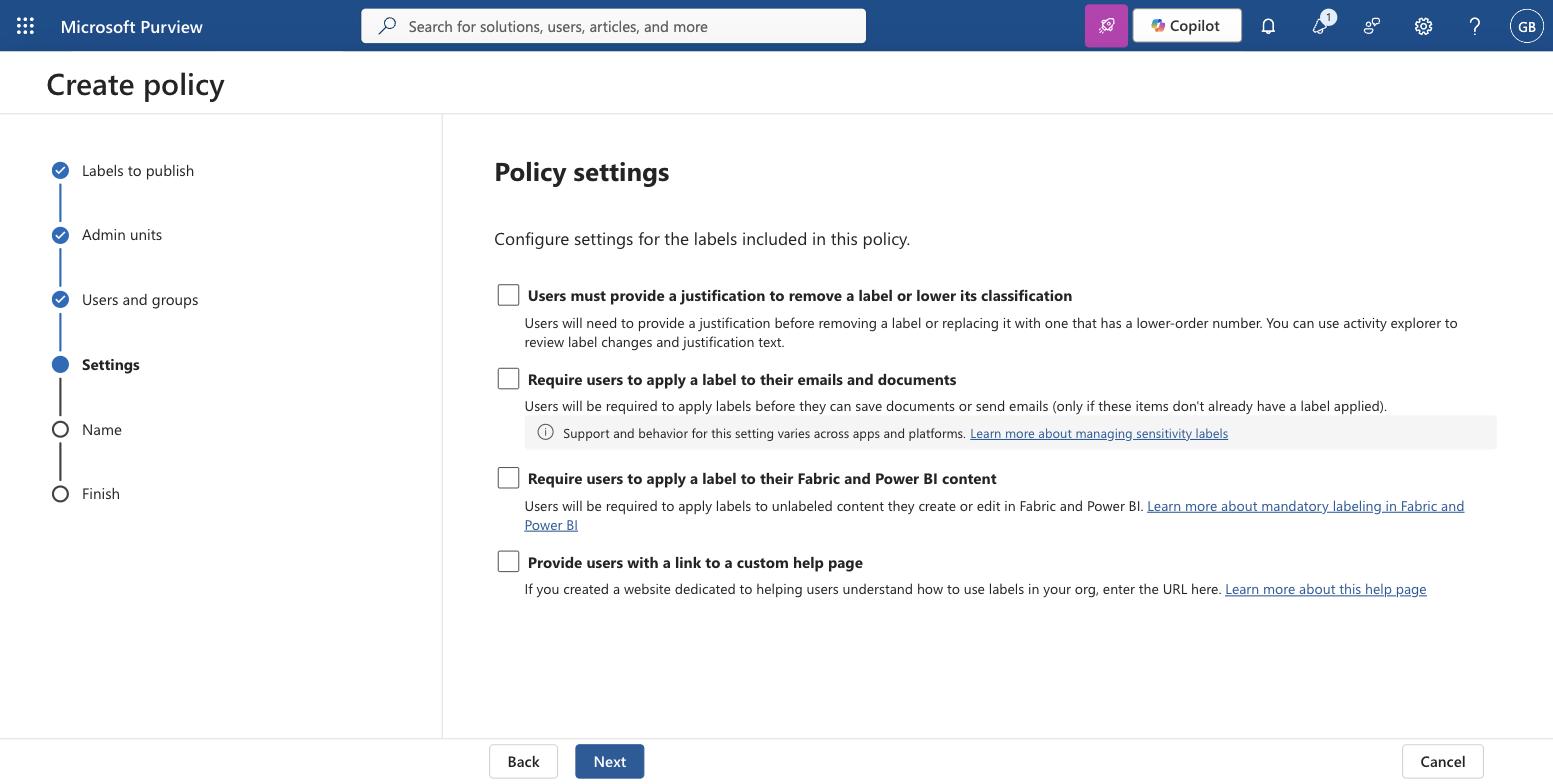
Two of these change user behaviour immediately. Require users to apply a label to their emails and documents is mandatory labelling, and the portal notes plainly that support and behaviour vary across apps and platforms. Turning it on tenant-wide as a first move produces a support queue rather than a classified estate.
Later steps set a default label for documents and emails, and offer email inherits highest priority label from attachments. That inheritance setting is the one that makes priority order matter in practice.
What goes wrong
The label is created but never published. Symptom: no label anywhere, no error. Check Get-LabelPolicy before anything else.
Groups and sites is greyed out. Symptom: labels work in Word and Outlook, but no Team or site can be labelled. The tenant prerequisite has not been completed.
The wizard blocks on access control. The error text is quoted above. Tick both surface settings or narrow the scope.
Nothing appears immediately after publishing. Policy distribution is not instant, and the Label policies list carries a Policy sync status column for exactly this reason. Microsoft documents the full client-side checklist in sensitivity labels are missing, and the mailbox must be in Exchange Online.
The label shows but encryption behaves oddly in the browser. Processing encrypted Office files stored in SharePoint and OneDrive is a separate tenant switch, surfaced as a banner on the Sensitivity labels page itself.
What I would do differently
I have not run this at scale in production, so take the sequencing as reasoning rather than measurement. On the evidence of how the wizard behaves, I would publish a classification-only set first: three labels, no encryption, no mandatory labelling, no default label. That gets the taxonomy argued about and agreed while the blast radius is zero, because nothing is being enforced.
Encryption is the step that turns a labelling project into an access project. Once a document is encrypted, every downstream consumer has to be able to decrypt it, and that includes services you did not think about. The Copilot DLP posture problem is the same problem seen from the other end: Copilot inherits access, it does not create it, and encrypted content it cannot open is content it cannot use.
Get the taxonomy wrong and you can rename a label. Get encryption wrong and you have files nobody can open. Those are not the same class of mistake. It is also why I would create sensitivity labels for classification long before anyone argues about rights management, and treat the two as separate projects with separate sign-off.
Microsoft documents the label settings in create and configure sensitivity labels and their policies, the encryption options in restrict access to content by using sensitivity labels, and the service-side alternative to client-side labelling in apply a sensitivity label automatically. Worth reading the difference between the auto-labelling toggle inside a label and a separate auto-labelling policy, because they run in different places and only one of them touches data already at rest.
For how labels behave once Copilot is in the estate, see prompt patterns that respect Purview. If you are weighing the licence rather than the mechanics, what actually stops at E3 covers where manual labelling ends and automatic labelling begins.
Last verified: 19 August 2026, against a Microsoft 365 lab tenant and Microsoft Learn.